
Consumer Rights

The Paper Trail That Protects You: Receipts, Warranties, and Records Worth Keeping

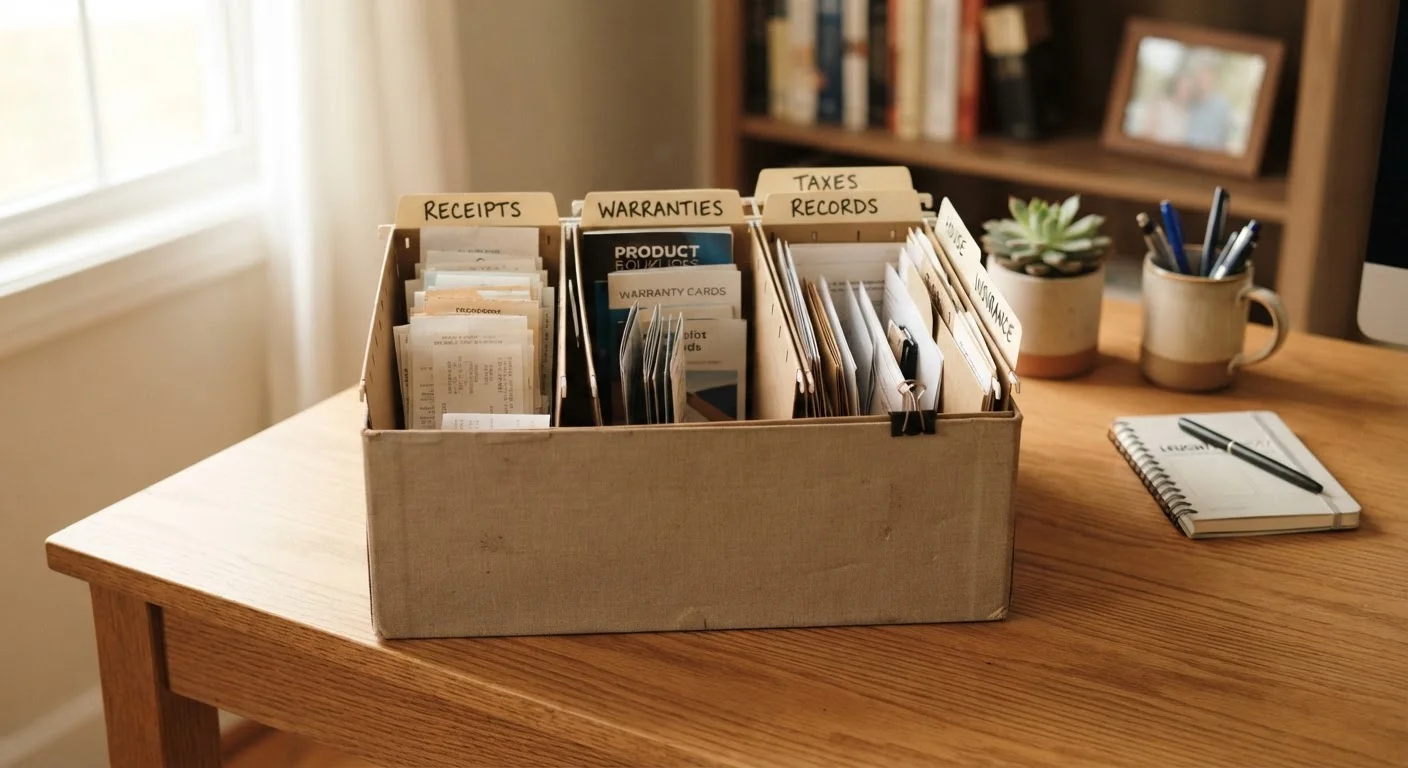
The Paper Trail That Protects You: Receipts, Warranties, and Records Worth Keeping

Photo: QuickAdvisor.net editorial

Knowing which documents to save—and for how long—can make the difference between a successful dispute and a dead end.

Key Takeaways

  • Receipts are your primary proof of purchase — without them, most dispute processes stall immediately.
  • Warranties are only as useful as your ability to produce them when a product fails.
  • Different document types have different recommended retention windows; one rule does not fit all.
  • Digital backups significantly reduce the risk of losing critical records to damage or simple misplacement.
  • A consistent recordkeeping habit costs little time upfront and can save real money in disputes.

Why Your Paper Trail Is a Financial Safety Net

Most consumer disputes — whether over a defective appliance, a billing error, or a warranty claim — come down to one question: can you prove it? Without documentation, even a legitimate complaint can go nowhere. Retailers, manufacturers, and credit card issuers all operate on the assumption that the burden of proof rests with you.

Understanding which documents to save, how long to keep them, and how to store them efficiently is a practical consumer skill — not a bureaucratic chore. Think of your records as a claim file you hope never to open but will be very glad exists if you do. Before diving into the checklist, it helps to know what terms like "implied warranty" or "written warranty" actually mean — see our glossary of key consumer protection terms for plain-language definitions.

Required

Scanner app (smartphone)

Digitizes paper receipts and documents in seconds using your phone's camera.

Required

Cloud storage account

Provides an offsite backup of digital documents accessible from any device.

Optional

Physical accordion folder or binder

Organizes paper originals by category for households that prefer tangible records.

Optional

Spreadsheet (for master index)

Tracks what documents you have, where they're stored, and key dates like warranty expirations.

Optional

External hard drive

Secondary local backup for scanned documents, separate from cloud storage.

How to Use This Checklist

Work through each group to audit what you currently have, identify gaps, and set up a simple ongoing system. Not every item applies to every household — use the priority labels to focus your time. Once your records are organized, revisit the list once or twice a year to purge expired documents and file new ones.

Receipts and Proof of Purchase

Save the original itemized receipt for any purchase over $25, including the date, price, and seller name. Must
Request and store an email receipt immediately for online purchases — do not rely on order history pages, which can disappear. Must
Photograph paper receipts with your phone as a backup, since thermal paper fades within months. Should
Keep gift receipts separate and labeled with the item they correspond to. Nice to have

Warranties and Product Registration

Locate the written warranty for every major appliance, electronic, and tool in your home and file it with its purchase receipt. Must
Register products with manufacturers promptly where required — some warranty claims depend on prior registration. Should
Note the warranty expiration date on the outside of each folder or file so you can find it quickly. Should
Check whether your credit card extends manufacturer warranties automatically, and document that benefit in the same file. Nice to have

Financial and Billing Records

Retain credit card and bank statements for at least 13 months to cover potential billing disputes and annual review cycles. Must
Save explanations of benefits (EOBs) from health insurers until all related claims are fully resolved. Must
Keep utility and subscription billing records for at least one full billing cycle after any disputed charge is resolved. Should
Archive tax-related purchase records (home office equipment, business expenses) for at least three years, per IRS general guidance. Must

Home and Vehicle Records

Keep all receipts for home improvement work, including contractor invoices and permits, for as long as you own the property. Must
Maintain a vehicle service log with dates, mileage, and the work performed for every maintenance visit. Should
Store appliance manuals and installation records together with the appliance's purchase receipt in a single labeled folder. Should
Photograph the condition of major items (appliances, vehicle interior/exterior) at the time of purchase as a baseline. Nice to have

Storage and Organization

Choose one primary storage method — physical binder, dedicated folder system, or cloud-based document app — and stick to it consistently. Must
Create a digital backup of all critical physical documents using a scanner app or dedicated scanner. Should
Store digital copies in at least two locations (e.g., cloud storage and an external hard drive) to guard against data loss. Should
Schedule a twice-yearly purge to shred expired or irrelevant records — this prevents clutter from obscuring what matters. Nice to have
Label every folder with the product or account name and the earliest and latest dates it covers. Should
Keep a master index (a simple spreadsheet works) listing every active file and its location. Nice to have

Thermal Paper Receipts Fade Fast

Many store-issued paper receipts are printed on thermal paper, which can become completely unreadable within 6–12 months when exposed to heat, light, or wallet friction. Never rely solely on the original paper receipt for any purchase you may need to dispute later — photograph or scan it the day you receive it.

Digital-Only Storage Has Its Own Risks

Cloud services can change their terms, close accounts, or experience outages. Relying on a single digital platform for your only copies of critical records is a single point of failure. Maintain at least one additional backup — either a second cloud service or a local external drive stored somewhere other than your primary computer.

Putting Your Records to Work

Keeping documents is only half the job. Knowing how to use them is the other half. When a dispute arises, organize your paper trail chronologically before making any calls or sending any correspondence. Note dates, dollar amounts, and the full name of any employee you speak with. Follow up every phone call with a written summary sent via email — this creates a timestamped record the other party receives.

For products covered by a written warranty, review the coverage terms carefully before you contact the manufacturer. The length of a warranty is far less important than what it actually covers — our guide to decoding warranty terms walks through the fine print that matters most. If a dispute escalates beyond informal resolution, your documented records become essential evidence. For guidance on when and how formal channels apply, see our overview of small claims court for consumers.

Vehicle owners have an additional layer to consider: a consistent maintenance log doesn't just protect your mechanical investment — it also supports resale value by providing verifiable service history that future buyers and dealers can trust.

Smart Shopping Editorial Team

QuickAdvisor.net

Smart Shopping Editorial Team is the collective byline for our editorial team and contributor network. Articles published under this byline or an editorial pen name are researched, written, and reviewed according to our editorial standards for clarity, consistency, and independence before publication.

Product EvaluationConsumer RightsSmarter Spending
View author profile

The content on this site is for informational purposes only and is not a substitute for professional advice. Always consult a qualified professional for guidance specific to your situation.